API Integrations
To create integrations between the Telebreeze platform and third-party applications, you will need API keys. Open API Integrations from the account menu, then select the API Keys tab. Click on your name at the top right and select the appropriate item from the drop-down list:
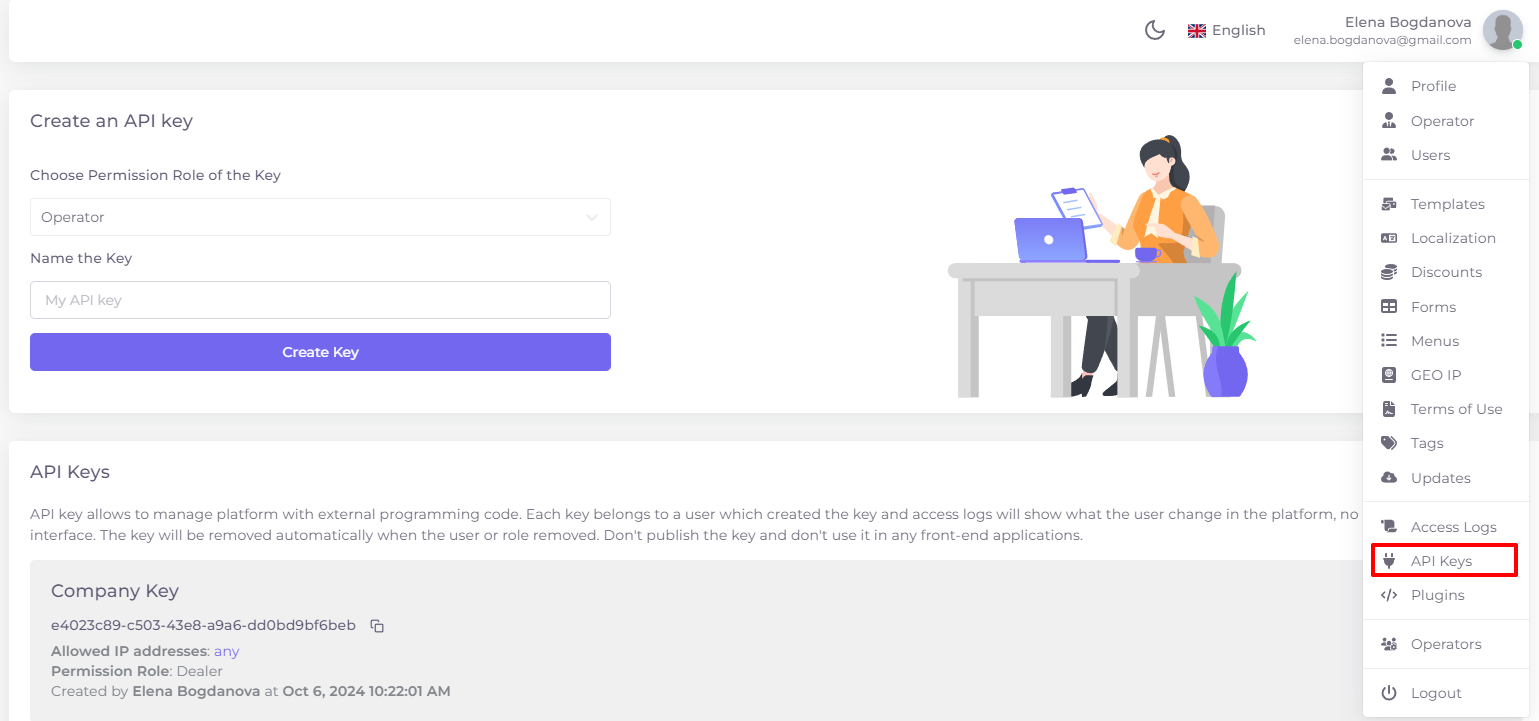
Separate keys are created for different users. The key belongs to the user who created it. You will always be able to see in the logs what and when the user changed in the platform.
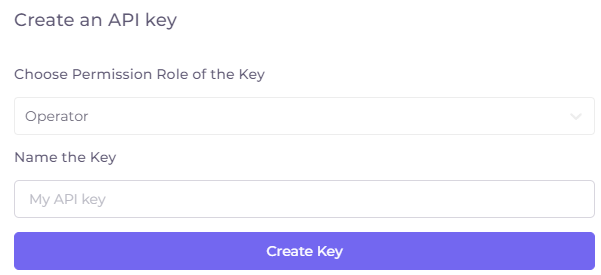
To create a new key, select the key role, enter the key name and click “Create Key”. The key role imposes on keys all the restrictions associated with the user role of the same name.
The keys are arranged in blocks with the following information:
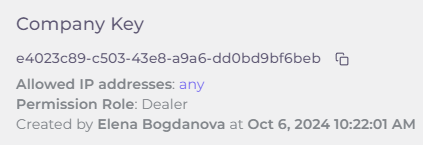
- The name of the key. The name can be changed by clicking on the key name.
- The key itself with a key copy button
 to the right of it.
- Allowed IP addresses. By default, the key can be used from any IP, but you can restrict its use from one or more IP addresses. To enter an address, click “Any” on this line:
Enter the address, click “Add Address”, enable the “Allow to connect from specified IP addresses” switch , and save.
- Permission Role of the key (Operator, Dealer or Content Owner).
- Created by: name, date, time the key was created.
To delete a key, click on the action menu on the right side of the key block and select “Delete Key”:

Built-in API reference
The integration section also includes Dashboard, Player, Authorization, Console, EPG, Search and Statistics tabs. Open the reference for the service you are integrating with. It shows operations, request and response schemas, examples and an OpenAPI document download.
Use the reference provided by your own installation so that endpoint paths and schemas match its version. The Dashboard reference on the demo provides an API-key exchange at POST /api/dashboard/auth/access-token, returning a Bearer access token; IP restrictions on the key apply to that exchange. Do not assume every service uses the same authentication flow.
The reference includes Test Request controls that send real requests. Reading an example does not execute it; review the operation and target server before running a request.
Key lifecycle
Keep keys in the backend integration, not in a browser application or published source. The panel states that a key is removed when its owning user or role is removed. Account permissions and IP restrictions still apply. See Access Logs when investigating changes made through the API.